Chrome Extension · 100% Free

SEO audits that run
entirely in your browser

Crawl any site, map its internal links, surface orphan pages, broken URLs, and PageRank — with zero data leaving your device. No signup. No server.

Add to Chrome — Free ▶ See it in action

No signup. No server. No telemetry. Install and audit in under a minute.
LinkLens Interactive Link Map dashboard
50
Pages per crawl
22
CSV export columns
40×
PageRank iterations
4
Concurrent workers
100%
Client-side · Private

Everything you need in one audit

Six powerful analysis engines packed into a single, free browser extension.

🕷️

Smart Crawler

Three render modes — Fast, Auto, and Full (for SPAs). Sitemap.xml & robots.txt ingestion, UTM stripping, 4 workers, 15 s timeout, cancelable at any time.

🧠

Internal PageRank

40-iteration power-method PageRank with damping 0.85. Instantly see which pages carry the most link equity and where to point new content.

🔍

Orphan & Missing Links

Detect pages with zero inbound links. Find missing-link opportunities via cosine similarity on title + body — surfaced as ranked suggestions.

🗺️

Interactive Site Map

Hierarchical SVG graph with color-coded nodes, filter pills, live search, and click-to-inspect for PageRank, inbound/outbound counts, and neighbours.

💔

Broken Link Detection

Catches 4xx, 5xx, and fetch-failed pages. Every broken URL shows the full list of linking pages so you know exactly where to add redirects.

📑

Meta & Anchor Audit

Titles, descriptions, H1s, canonicals, robots tags, anchor-text distribution, over-optimization flags, and click depth from homepage — all in one report.

Your whole site,
visualized at a glance

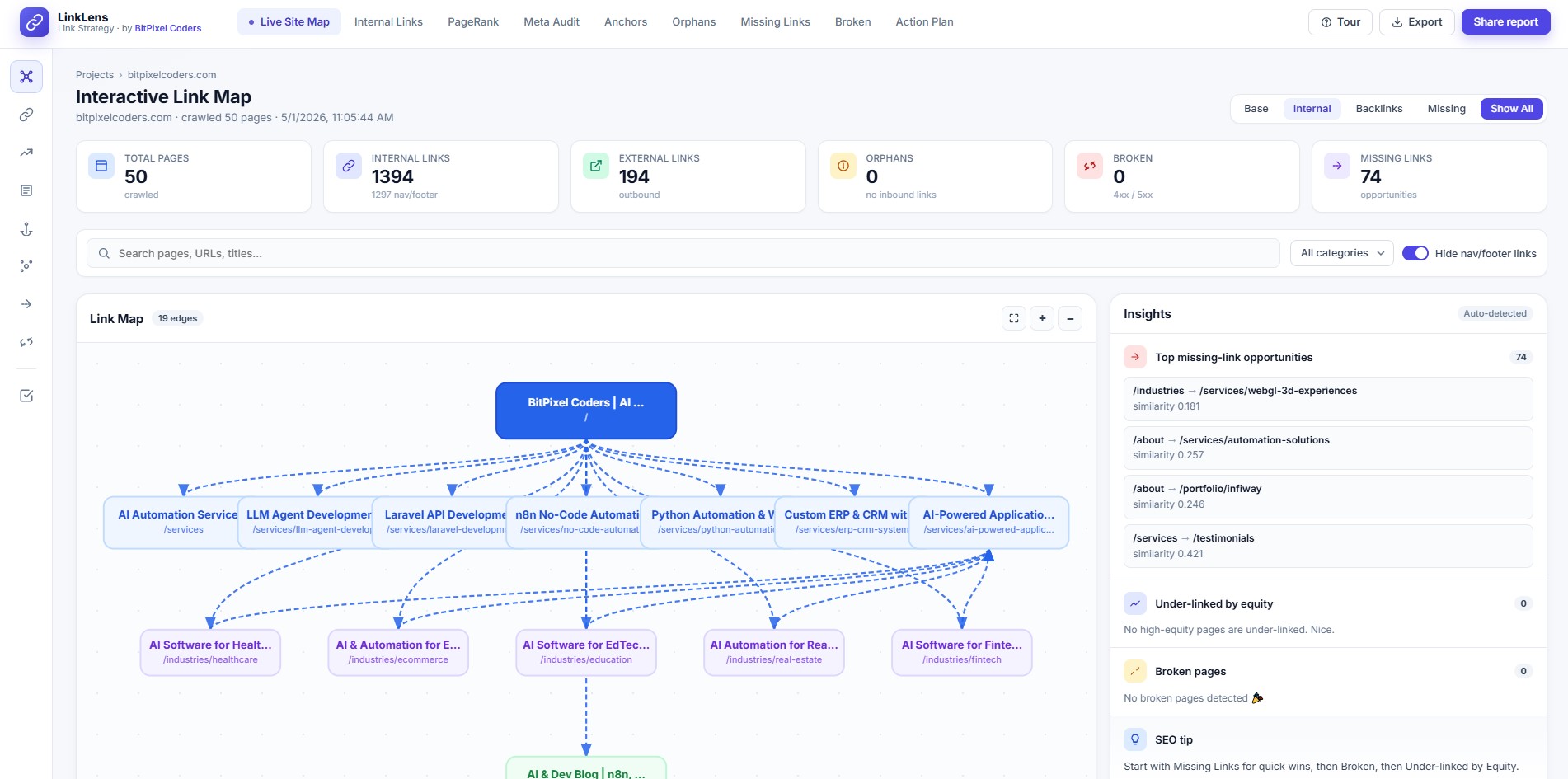
The link map puts your entire site structure on one screen — color-coded, filterable, and fully interactive.

  • Homepage → Services → Industries → Blogs hierarchy
  • Category-colored nodes with filter pills and live search
  • Click any node for PageRank, inbound/outbound, neighbours
  • Zoom, pan, and fit-to-screen controls
  • Insight sidebar auto-detects top opportunities
LinkLens interactive link map dashboard

Eight tabs of
actionable SEO data

Switch between tabs without re-running the crawl. All data is computed once and cached locally.

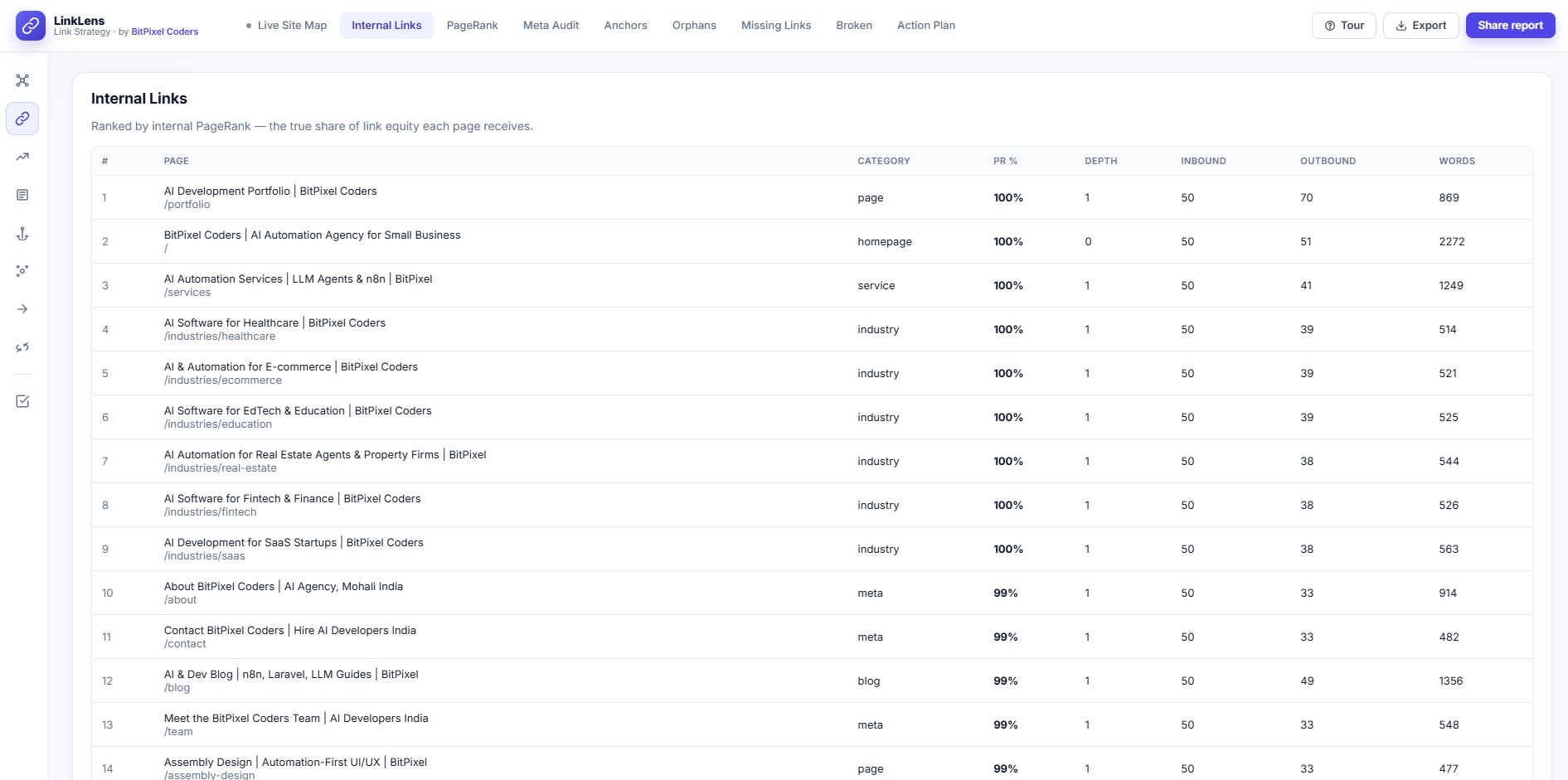
  • Internal Links ranked by PageRank with depth, inbound, outbound & word count
  • Meta Audit — titles, descriptions, H1s, canonicals
  • Anchors — distribution and over-optimization flags
  • Orphans, Missing Links, Broken pages
  • Auto-generated Action Plan ranked by impact
LinkLens Internal Links table with PageRank

One click to start
crawling

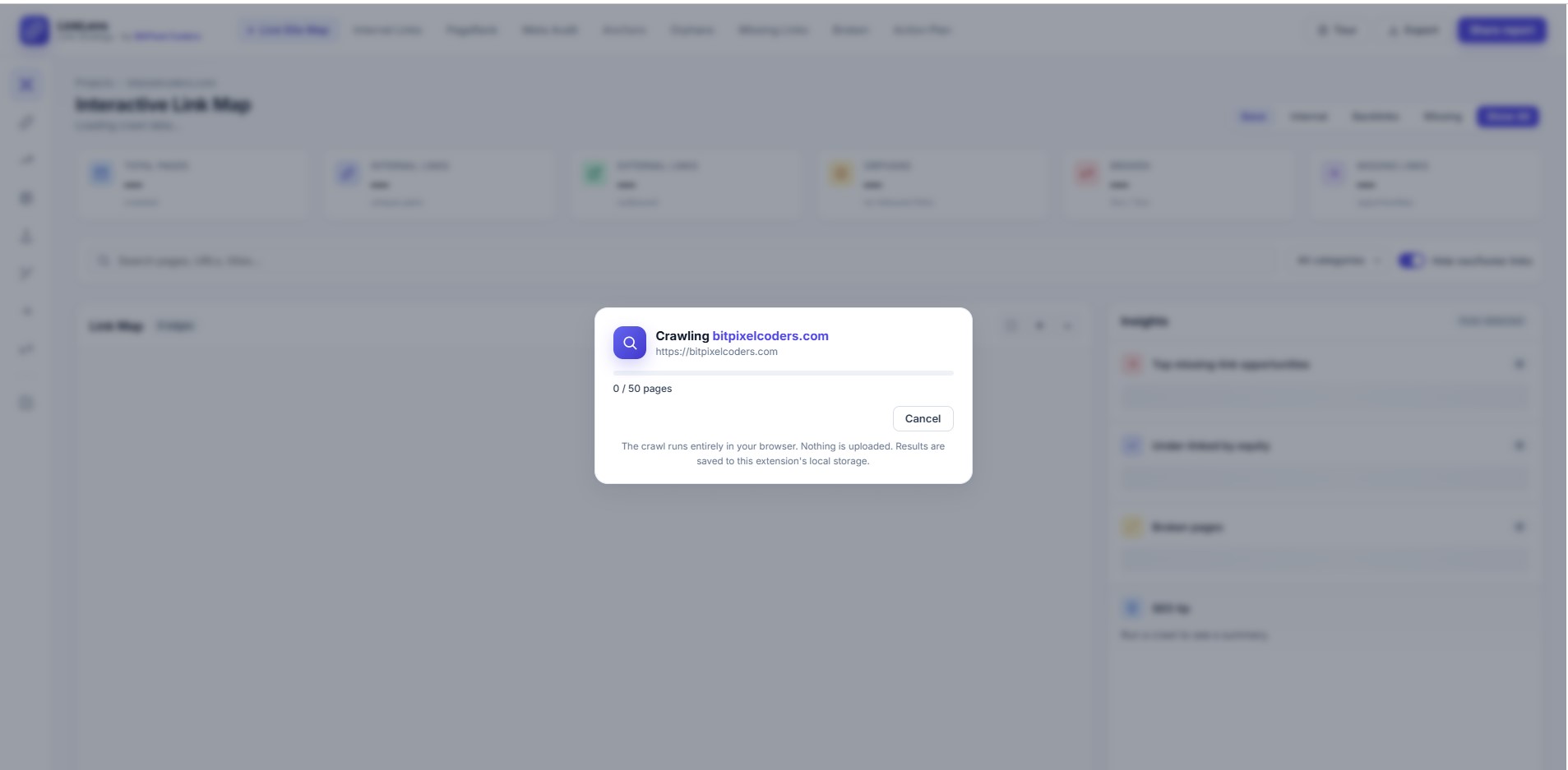
Click the extension icon — URL is pre-filled. Choose your depth limit and render mode, hit Start, and the dashboard opens automatically.

  • URL auto-filled from the active tab
  • Choose up to 50 pages and render mode
  • Live progress counter — cancel any time
  • Runs 100% in your browser, nothing uploaded
  • Results saved locally for later review
LinkLens crawl progress dialog

Eight views, one extension

Every tab is computed in one crawl run and instantly accessible without re-crawling.

🗺️ Live Site Map 🔗 Internal Links 📊 PageRank 📝 Meta Audit ⚓ Anchors 👻 Orphans 🔀 Missing Links 💔 Broken 📋 Action Plan

Your data never leaves your browser

LinkLens is built on a simple principle — you audit your site, not us.

🔒

100% Client-side

All crawling and analysis happens in your browser tab. Zero calls to our servers.

🚫

No Signup

No account, no email, no payment. Install and start auditing in under 30 seconds.

📦

Local Storage Only

Results live in chrome.storage.local. Uninstall wipes everything automatically.

🔇

No Telemetry

No analytics, no crash reporting, no usage tracking of any kind.

Built for anyone who cares about site structure

From solo consultants to enterprise content teams — if you care about internal linking, LinkLens is for you.

🧑‍💼

SEO Consultants

Audit client sites fast. Export to CSV and drop it straight into your reports.

✍️

Content Teams

Find orphaned content and surface missing-link opportunities across the whole site.

👩‍💻

Web Developers

Check site structure after a migration or redesign without leaving the browser.

📈

In-house SEO Teams

Run regular link-health checks and track PageRank distribution over time.

Get started

Start your first audit in under a minute

Install LinkLens, visit any site, click the icon. That's it.

Add to Chrome — Free Explore Features
1

Install & Pin

Add LinkLens to Chrome and pin it to your toolbar

2

Visit any site

Navigate to the site you want to audit

3

Click the icon

URL is auto-filled — pick pages & render mode

4

View dashboard

Full audit opens automatically in a new tab